Locked out of system. Error in login screen on boot.
Page 1 of 1 (1 post)
Tags:
None

Registered Member 
|
Hi! I have an issue with a system running Plasma on Manjaro Linux.
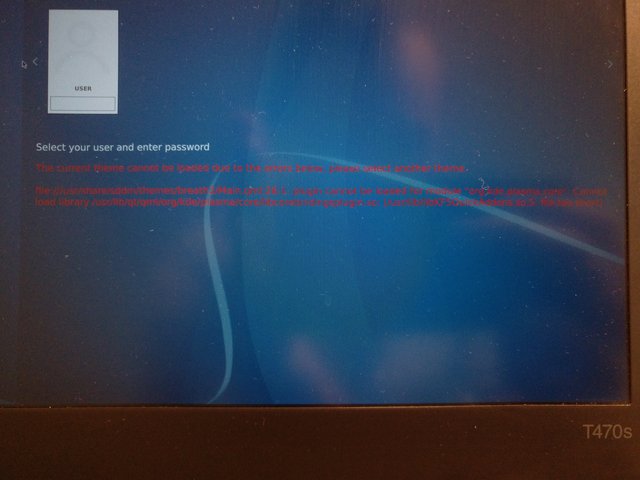
The issue I'm locked out of my system as a consequence of a recent update, which made my current theme unavailable on boot. Behavior When I boot, the login screen shows an error below the user. When I enter my password, the screen freezes and nothing happens. Therefore I can't enter my system. The error says:
Screenshot of error on login screen. https://i.postimg.cc/C5Hy2pH9/IMG-20201016-120341.jpg What I've tried I tried renaming the kde config folders in ~/.kde4 and ~/.local/share/kde5 and booting again from usb system. Same error appeared and still locked out. By looking at the filesystem afterwards, these two folders were not re-created by the system on its attempt to boot. This suggests the error happens before the system even attempts to read these files. Next thing to try would be to research how to install breath2, libcorebindigsplugin and/or org.kde.plasma.core through command line on chroot. Possible Solutions I imagine this could be fixed by `chroot`ing and running some commands to either reset the Plasma settings, or installing missing dependencies. Any input, advise, or documentation are highly appreciated. Thanks for reading. |
Page 1 of 1 (1 post)
Bookmarks
Who is online
Registered users: bartoloni, Bing [Bot], Evergrowing, Google [Bot], ourcraft